

Set a custom lock sound on your Tesla
Replace your Tesla's default lock chime with your custom sound. Once you've plugged in your K3Y, the whole setup happens on the Tesla touchscreen. It takes about a minute.
Before you start
Your Tesla needs the external Pedestrian Warning Speaker (PWS). The simplest way to check: if your car makes a sound at low speeds, it has the PWS. If it doesn't, contact Tesla Service for a retrofit.
Software must be on the 2023 Holiday Update or newer.
File requirements:
How to set it up
-
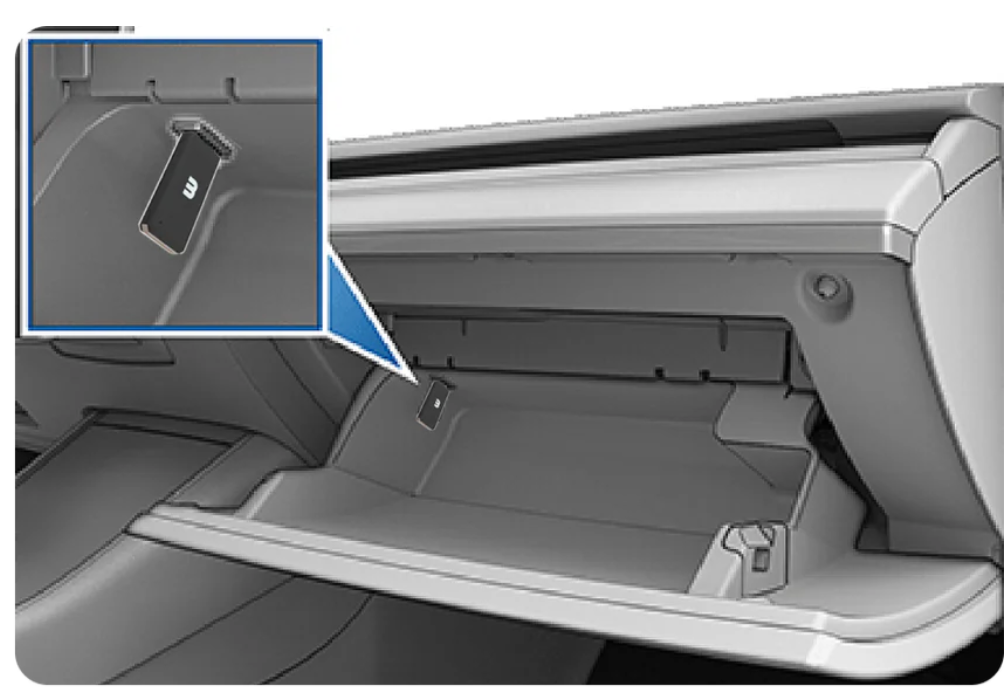
Plug K3Y into the front USB port
Use the data port inside the glovebox. Avoid the center-console ports, which are charge-only on most newer models. Tesla mounts the K3Y automatically.
-
Tap the apps folder in the bottom dock
On the Tesla touchscreen, tap the apps folder icon in the bottom dock to open the apps drawer.

-
Open Toybox
From the apps drawer, tap Toybox to open the customization screen.
-
Enable Lock Sound and select USB
Inside Toybox, find Boombox. Turn on the Lock Sound toggle and choose USB.
Toybox›Boombox›Lock Sound · USB
-
Lock the car and listen
Walk away or lock with the app, key card, or phone. You should hear your custom sound instead of the default chime.


Good to know
- One sound at a time. Only one custom sound can be active on the K3Y.
- Lock Sound must stay on. If disabled in Boombox, no chime plays (custom or default).
- K3Y must stay plugged in. Remove it and Tesla falls back to the default chime.
Find your sound
Don't have a WAV handy? These libraries offer free, royalty-free clips you can download and use:
Look for something 1 to 5 seconds long, and download it as a .WAV. That's the format Tesla needs.
Want to capture driving events too? That's what K3Y was built for.
Learn more about K3Y →