

Turn off Dashcam Encryption on your Tesla
Tesla update 2026.20 encrypts your dashcam and Sentry clips by default and saves them to a locked folder your K3Y can't read. Turn encryption off so your K3Y and the CONSOL3 app can read and back up your footage. It's one toggle on the Tesla touchscreen and takes about a minute.
Why turn it off?
When Encrypt Dashcam Recordings is on, the clips on your drive can only be read by your Tesla. Your K3Y reads recordings straight from the drive, so it can't open encrypted files.
Turning encryption off lets your K3Y and the CONSOL3 app back up your clips. It does not disable Dashcam or Sentry Mode — your car keeps recording as usual.
How to turn it off
-
Open Controls
On the Tesla touchscreen, tap the car icon in the bottom dock (or tap the vehicle image) to open the Controls screen.
-
Go to the Safety tab
In the Controls menu on the left, tap Safety.
Controls›Safety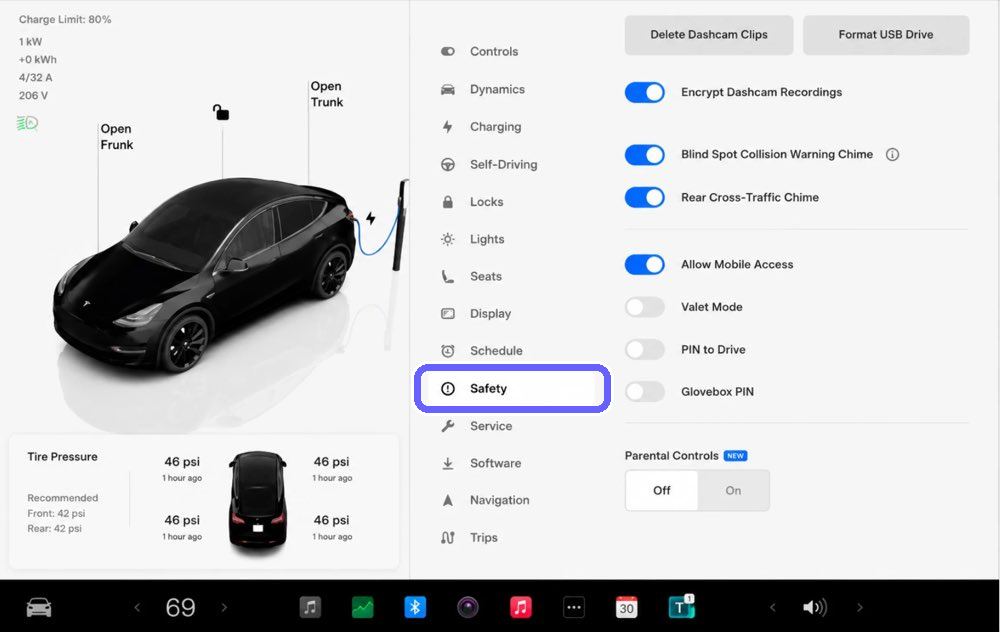
-
Turn off “Encrypt Dashcam Recordings”
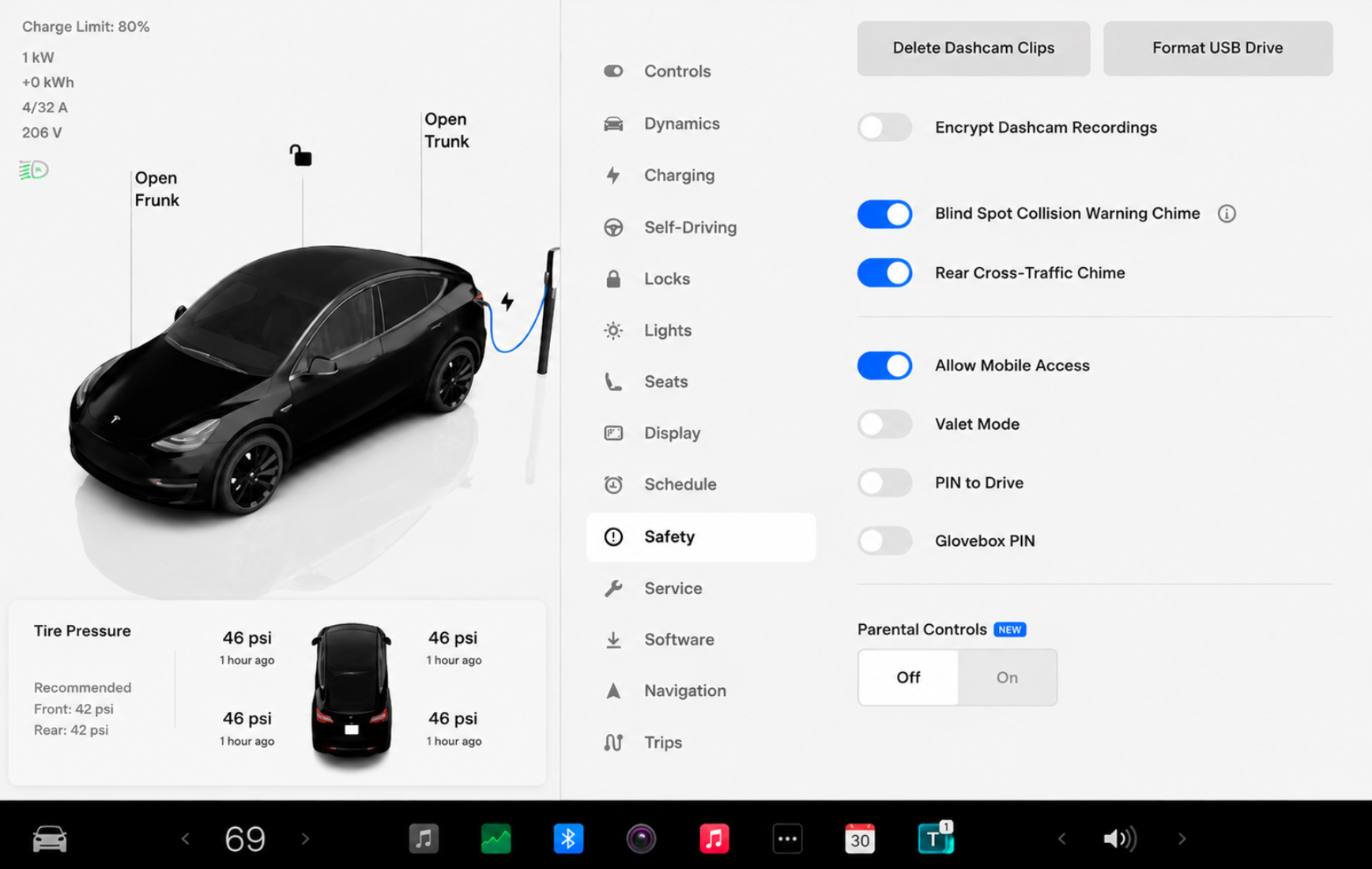
Near the top of the Safety panel, find Encrypt Dashcam Recordings and tap the toggle so it turns off (grey). New clips will now be readable by your K3Y and CONSOL3.
-
Drive a little, then check CONSOL3
Take a short drive or wait a few minutes for fresh clips to record. Your trips and events should start flowing into CONSOL3 again.
Good to know
- Leave the other buttons alone. Don't tap Delete Dashcam Clips or Format USB Drive on the same screen — those erase footage on your K3Y. You only need the Encrypt Dashcam Recordings toggle.
- Only affects new clips. Footage already recorded while encryption was on stays encrypted in Tesla's EncryptedClips folder and won't appear in CONSOL3. New recordings are saved unencrypted.
- No reformatting needed. You don't have to format the drive or remove your K3Y to change this setting.
- Dashcam stays on. Turning off encryption does not disable Dashcam or Sentry Mode — they keep recording as usual.
- K3Y must stay plugged in to the front glovebox data port for backups to run.
- Privacy trade-off. Encryption protects clips if the drive is removed. With it off, K3Y backs your footage up to a cloud you control, so it stays yours and stays accessible.
Ready to back up your dashcam footage?
Learn more about K3Y →