

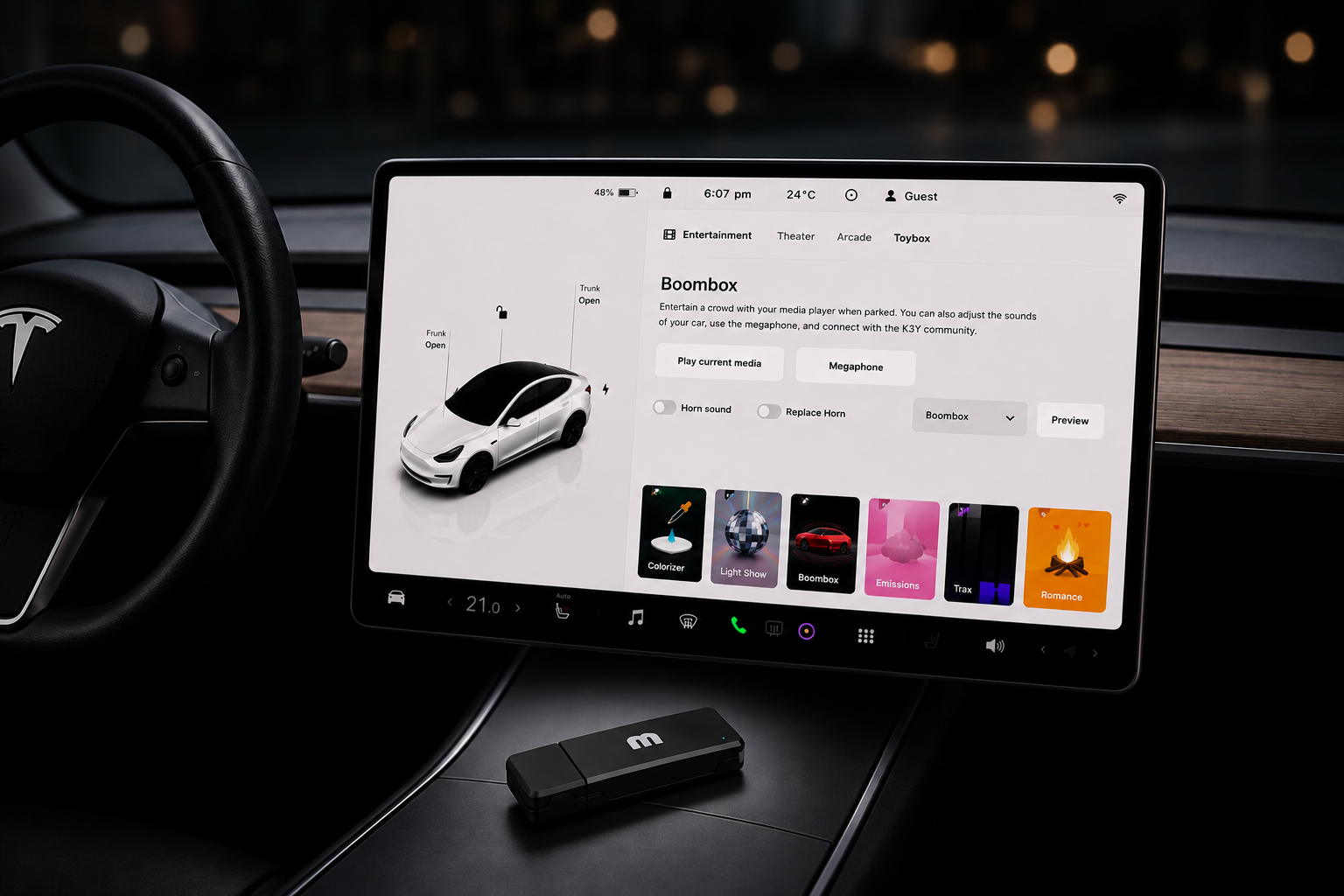
Your Tesla hides a whole menu of playful features called the Toybox—light shows, custom sounds, games, and more. While many of them are built right into the car, some of the most exciting ones let you add your own content. Better yet, there's an active Tesla community constantly creating and sharing new light shows, lock sounds, and Boombox audio for other owners to enjoy.
If you own a K3Y, the dashcam that's already plugged into your Tesla, you can use it for all of these USB-powered features without carrying an extra flash drive. Here's everything you'll find in Toybox and how to make it your own.
What is Tesla Toybox?
Toybox is Tesla's collection of fun, non-essential extras, tucked inside the Apps menu on your touchscreen. You'll find everything from synchronized light shows and custom sounds to sketchpads, arcade games, karaoke, and seasonal surprises.
Most features work right away, while a few let you personalize your Tesla by loading your own files from a USB drive. That's where the creativity of the Tesla community really shines—owners regularly share custom content online, giving you endless ways to personalize your car.
To open Toybox, tap the Apps menu in the bottom dock, then select Toybox.
Why your USB drive matters
Three of Toybox's most popular features—Custom Light Show, Boombox, and Custom Lock Sound—read your own files from a USB drive.
Normally, that means plugging in a second USB stick just for custom content. But if you're already using K3Y as your dashcam, it's ready to do both jobs. Your Toybox files are stored in their own folders, completely separate from your TeslaCam recordings, so your footage stays safe and organized.
One device, plugged in once, unlocks all three.
Three features you can make your own
These are some of the most popular Toybox features—and they're also where the Tesla community has created thousands of custom files to download and enjoy.
Custom Light Show
Sync your headlights, taillights, mirrors, windows, and charge port to music. You can create your own performance or download shows made by other Tesla owners.
Read our complete setup guide.
Boombox Sounds
Play custom audio through your Tesla's external speaker. Whether it's a movie quote, meme, holiday greeting, or your own recording, Boombox lets your car have a little personality.
Read our complete setup guide.
Custom Lock Sound
Replace the standard lock chime with something uniquely yours. From iconic sound effects to your own recordings, it's one of the quickest ways to personalize your Tesla.
Read our complete setup guide.
Discover community creations
One of the best parts of Toybox is the community behind it. Tesla owners around the world regularly create and share new content, so there's always something fun to try.
Here are a few great places to explore:
- Tesla Light Share — Browse hundreds of community-created Light Shows or upload your own.
- Pixabay Sound Effects — A huge collection of free sound effects that work great for Boombox and Custom Lock Sounds.
- Mixkit Sound Effects — Another excellent source for free, high-quality sound clips.
With K3Y, you can simply copy these files to the appropriate folders on your existing drive—no second USB stick required.
More Toybox extras to explore
Not everything in Toybox requires a USB drive. There are plenty of built-in features worth checking out:
- Romance — Turn your display into a cozy fireplace, complete with crackling logs and cabin heat.
- Emissions — Assign playful sound effects to seats or turn signals.
- Sketchpad — Draw directly on the touchscreen and even use your artwork as your profile picture.
- Arcade & TeslaMic — Play classic games while charging or enjoy karaoke on your next road trip.
Tesla continues to expand Toybox through software updates, so it's worth checking back after each new release. Whether you're customizing your own Light Show, downloading community creations, or simply exploring what's new, Toybox is one of the most entertaining parts of owning a Tesla—and K3Y makes getting the most out of it even easier.

Share:
Tesla Is Taking Dashcam Footage Seriously. K3Y Takes It Further.